iOS push notifications: What it is, best practices, and how to send?
TLDR: iOS push notifications in one minute
iOS push notifications are alerts that appear on iPhone, iPad, or Mac even when your app isn’t open. Remote notifications travel from your server through Apple Push Notification service (APNs), while local notifications are scheduled on-device. The biggest wins come from asking permission at the right moment, writing clear copy, sending at the right time, and personalizing responsibly.
What are iOS push notifications?
iOS push notifications are messages that pop up on Apple devices (iPhone, iPad, or Mac) to keep users informed about important updates, even when they're not actively using an app.
Think of them as digital tap on the shoulder that can:
Display alerts or messages
Play notification sounds
Update app icon
Display progress of a task, etc.
The best part? Users don't need to have your app open to receive these notifications.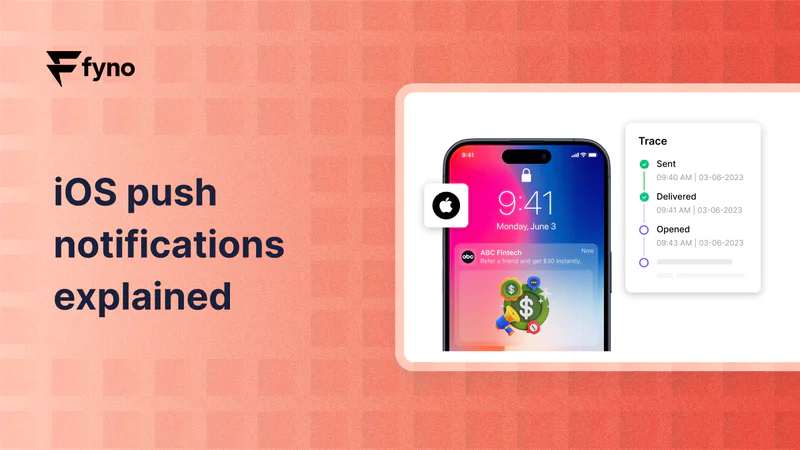
How do iOS push notifications work?
Push notifications on iOS operate through a sophisticated system involving several key components:
The Main Players
1. Your App Server: This is where the notification journey begins. Your server creates and sends the notification.
2. Apple Push Notification service (APNs): Think of APNs as the postal service for push notifications. It's Apple's centralized system that handles the delivery of all push notifications to iOS devices.
3. User's Device: The final destination where the notification appears.
Two Types of notifications
iOS supports two main types of push notifications:
Local Notifications: These are notifications that your app schedules directly on the device. They're triggered by specific conditions like:
Time (reminder at 2 PM)
Location (notification when near a store)
User action (completing a task)
Remote Notifications: These are sent from your server through APNs. They're great for:
Real-time updates
Breaking news
Social media interactions
Service updates
Best Practices for iOS Push Notifications
Want to make the most of push notifications? Here are some tried-and-tested tips:
1. Get permission at the right time
Timing is everything when requesting push notification permissions. Instead of asking immediately at launch, wait for the right moment when users can understand the value. Explain how notifications will enhance their experience and make the permission request when they're most likely to say yes.
2. Keep your messages clear and actionable
Your notification message needs to grab attention quickly. Front-load the most important information in the first 40 characters, as that's what users see first. Use clear, action-oriented language that tells users exactly what they need to know or do.
3. Time your notifications well
Consider your users' time zones and daily routines before sending announcements or service messages through APNs. Avoid sending notifications late at night, and batch non-urgent updates together to prevent notification fatigue.
4. Personalize your notifications
Make each notification count by personalizing content based on user preferences and behavior. Segment your audience to ensure messages are relevant, and provide contextual information that adds real value to the user's experience.
Streamline your push notifications with Fyno
Managing multiple push notification services can be complex and time-consuming. That's where Fyno Push comes in. Our solution combines three different push notification services in one powerful plugin. You can choose to integrate one or all of them to achieve optimal push notification delivery for your iOS app.
With Fyno Push, you get:
A single API to manage all push notifications
Smart routing between different push services
Automatic fallback mechanisms
Comprehensive delivery analytics
Simple integration process
Push notifications are a powerful tool for keeping users engaged with your iOS app.
By following best practices, respecting user preferences, and using the right tools, you can create a notification strategy that drives engagement while maintaining user trust.
Common mistakes that hurt push performance
Most push problems aren’t technical—they’re behavioral. Teams ask permission too early, send vague copy, over-notify, or blast the same message to everyone. Over time, users disengage, disable notifications, or uninstall—turning a powerful channel into a liability.
Common pitfalls to avoid:
Prompting permission at app launch with no value context
Sending non-urgent pushes at disruptive hours
Writing generic messages that don’t tell users what to do
Over-sending (notification fatigue) instead of batching and prioritizing
Skipping segmentation and sending irrelevant content to everyone
Quick checklist: a healthy iOS push strategy
Use this as a quick self-audit before you scale push volume.
1.Permission prompt appears only after value is clear
2.Copy is scannable and front-loads key info
3.Timing respects user time zones and routines
4.Non-urgent messages are batched to prevent fatigue
5.Segments and personalization are based on real behavior/preferences
6.You monitor delivery and engagement with analytics
7.You have fallback logic if delivery issues occur (where applicable)
Conclusion
iOS push notifications are one of the most effective ways to keep users informed—without requiring your app to be open. Remote notifications delivered via APNs power real-time updates, while local notifications handle time, location, and action-based reminders. Follow best practices, respect user preferences, and use the right tools to keep your push strategy engaging and trustworthy.
Ready to enhance your push notification strategy? Talk to us about how Fyno can help streamline your notification infrastructure.