
Introduction to Single-Channel Routing
Fyno’s Single Channel Route lets you work with multiple providers within one channel.
What is a Single Channel Route?
A Single Channel Route lets you decide how your notifications are routed across the providers you have already configured for a channel. You can create one for SMS, RCS, WhatsApp, Email, Viber, Slack, Discord, Teams, Push, Voice and InApp.
With a Single Channel Route, you can:
- Send traffic through a specific provider based on a condition, for example the mobile number series.
- Spread traffic across multiple providers in a round robin fashion, or split it between them by percentage.
- Add one or more providers as a failover.
A Single Channel Route makes connections within a channel, between its providers. An Omnichannel Route makes connections between channels.
Why use a Single Channel Route?
Here are three common ways to use a Single Channel Route.
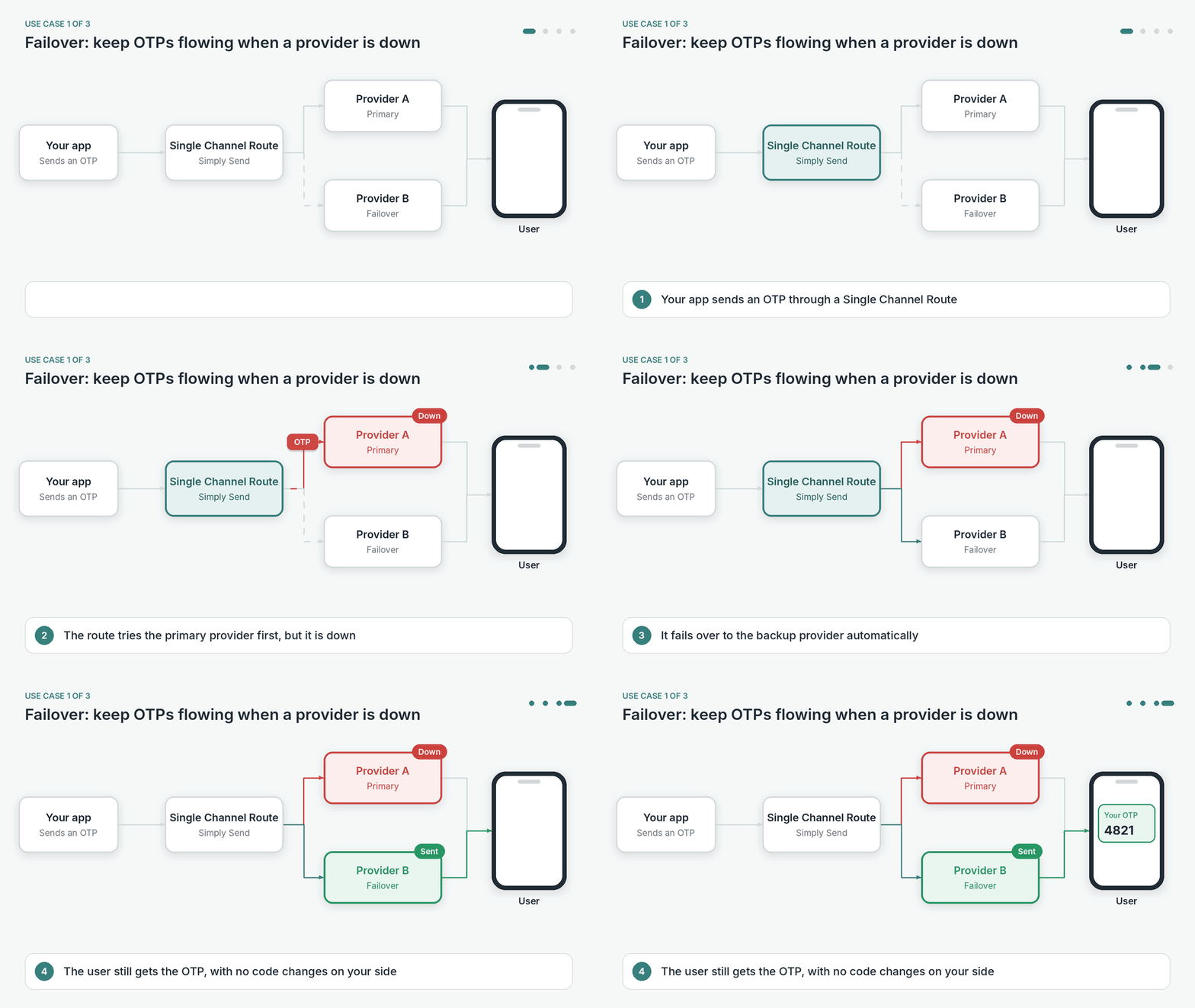
Avoid downtime with failover
Add a backup provider, so that a provider outage does not stop your notifications. If the primary provider is down, the route sends the notification through the failover provider instead. Set this up with the Simply Send action and a Failover provider.
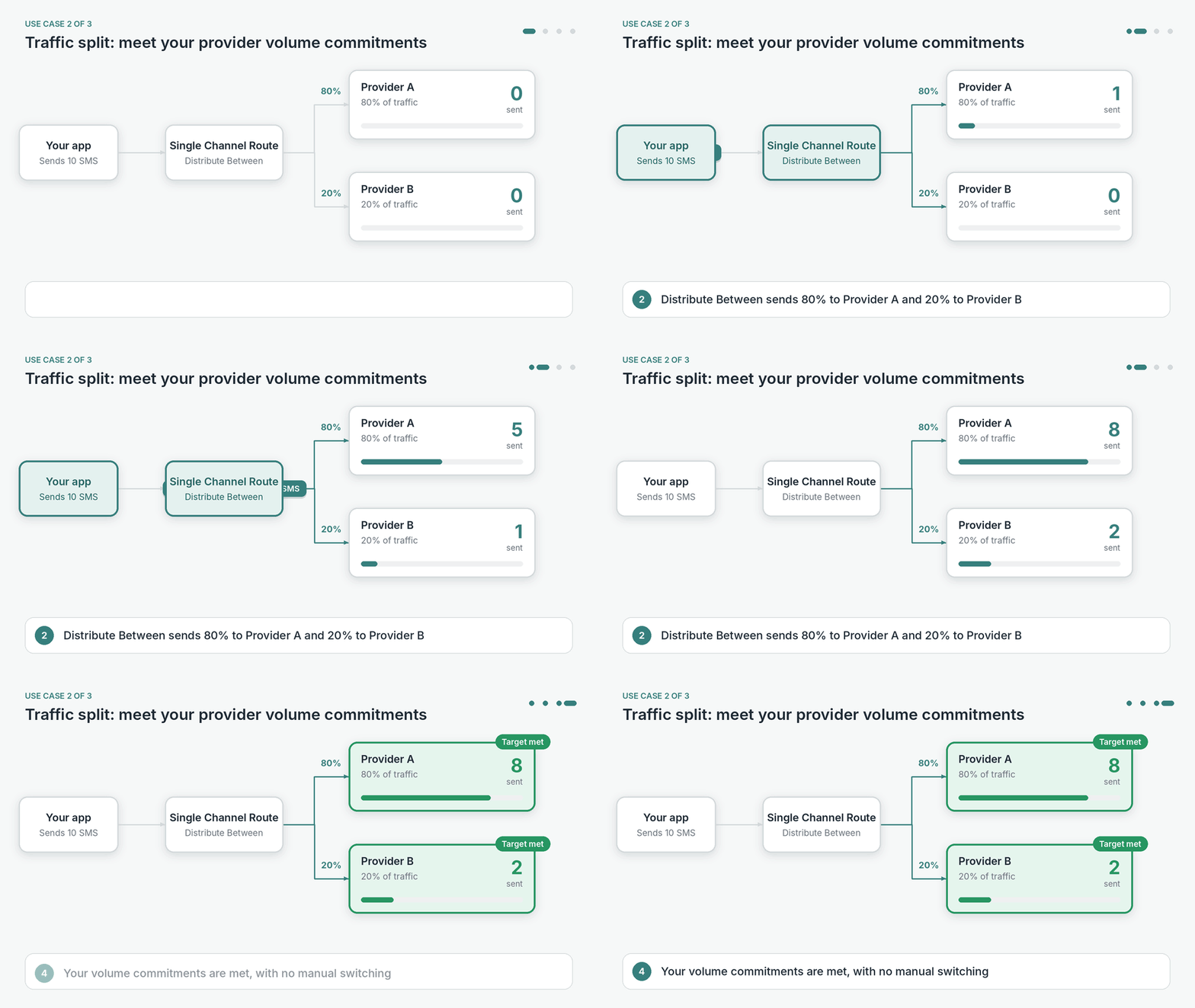
Meet provider commitments
Split traffic between providers by percentage, so you meet the volume you have committed to each one without manual monitoring and switch-overs. Set this up with the Distribute Between action.
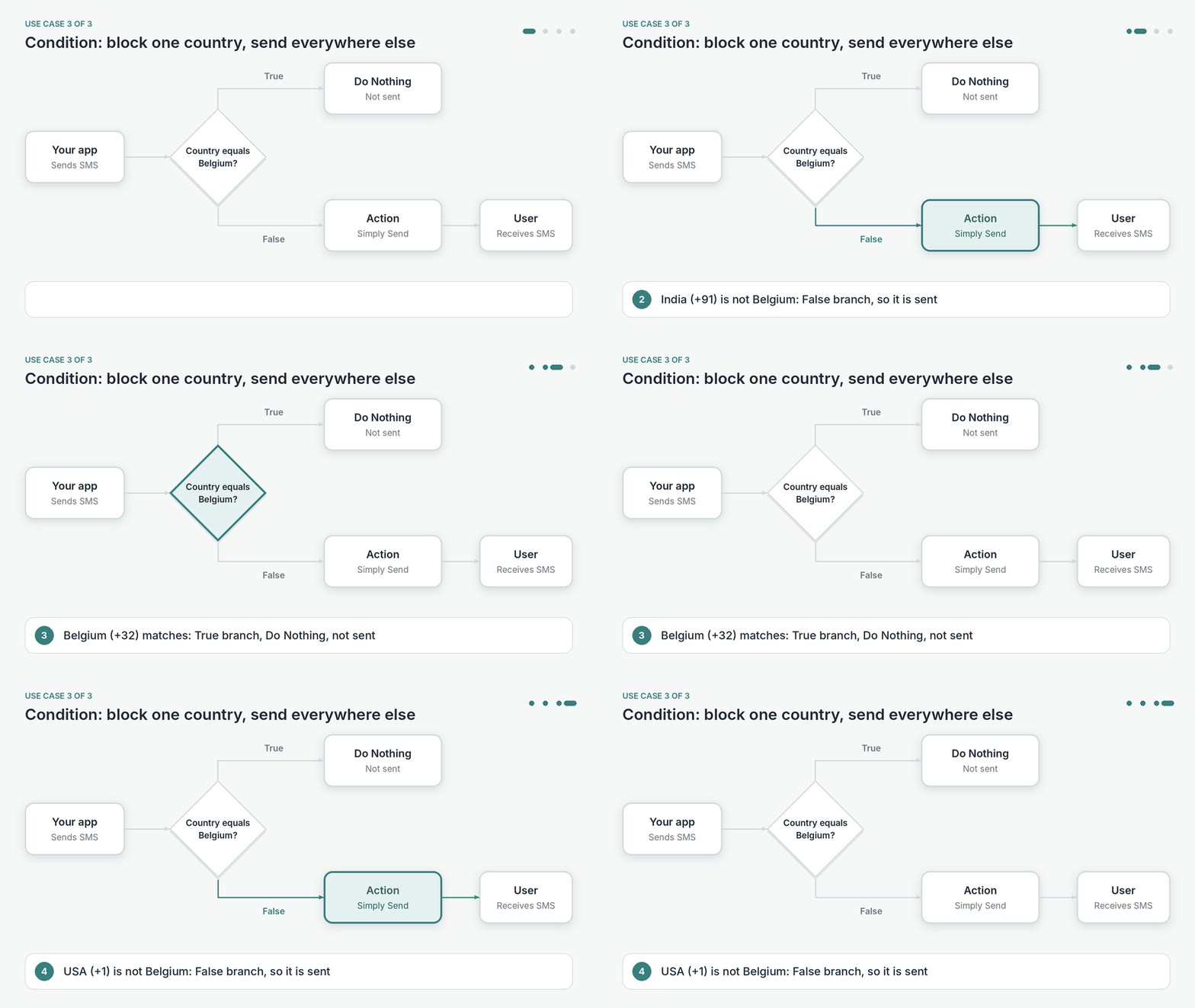
Target specific audiences
Use a Condition to send notifications for specific audiences through specific providers, or not at all. For example, you can block SMS to one country and send to every other country as usual.
View route details
To see where a route is used, click the three dots icon on the route and select View Details. It shows when the route was last updated, along with:
- Used in: The notification events that use the route.
- Depends On: The integrations the route uses.
Use the Test and Live toggle at the top to see the details for each version.
Use a route in a notification event
When you set up a notification event, you can select a Single Channel Route instead of a single provider for a channel. The notification event then sends that channel’s notifications through your route, with all its providers, conditions and failover.
To do this, select the route while setting up the Configuration of your notification event in Notification Events.